
Free Roblox shirt maker
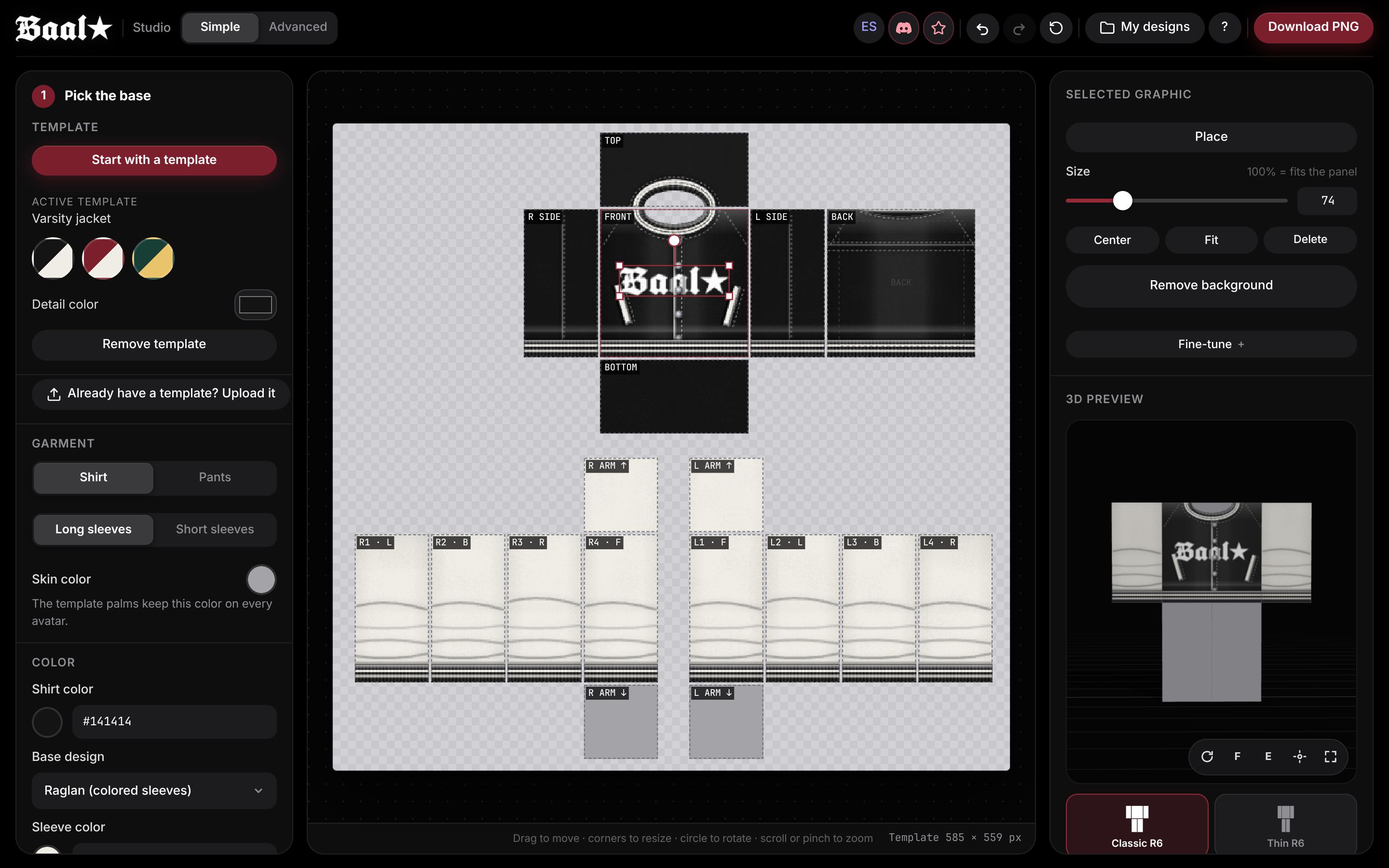
Baal Studio's editor lets you make classic Roblox shirts and pants right in your browser, free and with no sign-up. Pick a base, add your design, spin it on a 3D avatar and download a PNG that is ready to upload.
Works on phones and computers. Nothing to install.
What it makes (and what it doesn't)
Here is what kind of clothing comes out of it, so you know before you start.
You can
- Make classic shirts and pants on the 585×559 pixel template that Roblox asks for.
- Switch between long and short sleeves, or shorts for pants. With short sleeves you can even add tattoos on the arm skin.
- Design on your phone or computer, in English or Spanish, and save projects to finish later.
You can't
- The classic T-shirt is a different item: a square 512×512 image shown on the chest. Use the T-shirt maker for that one.
- It does not make 3D layered clothing (UGC 3D). That kind of item is modeled in tools like Blender and uploaded differently.
Start from a template
Tap a garment and the shirt maker opens with it already drawn. Then recolor it, drop in your logo or keep it as it is.
Jackets and hoodies
Tees and collars
Rather start from scratch? Open the shirt maker on an empty template and pick your own colors. Blank →
How to make a Roblox shirt in 4 steps
No Photoshop and no design skills needed. It all runs in your browser.
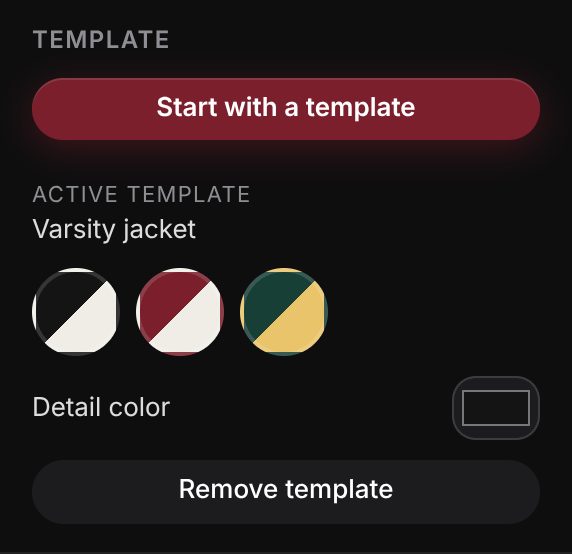
1. Pick a base
Shirt or pants, long or short sleeves, then one of 10 templates or a blank one. Every template comes with 3 color combos.
2. Add your design
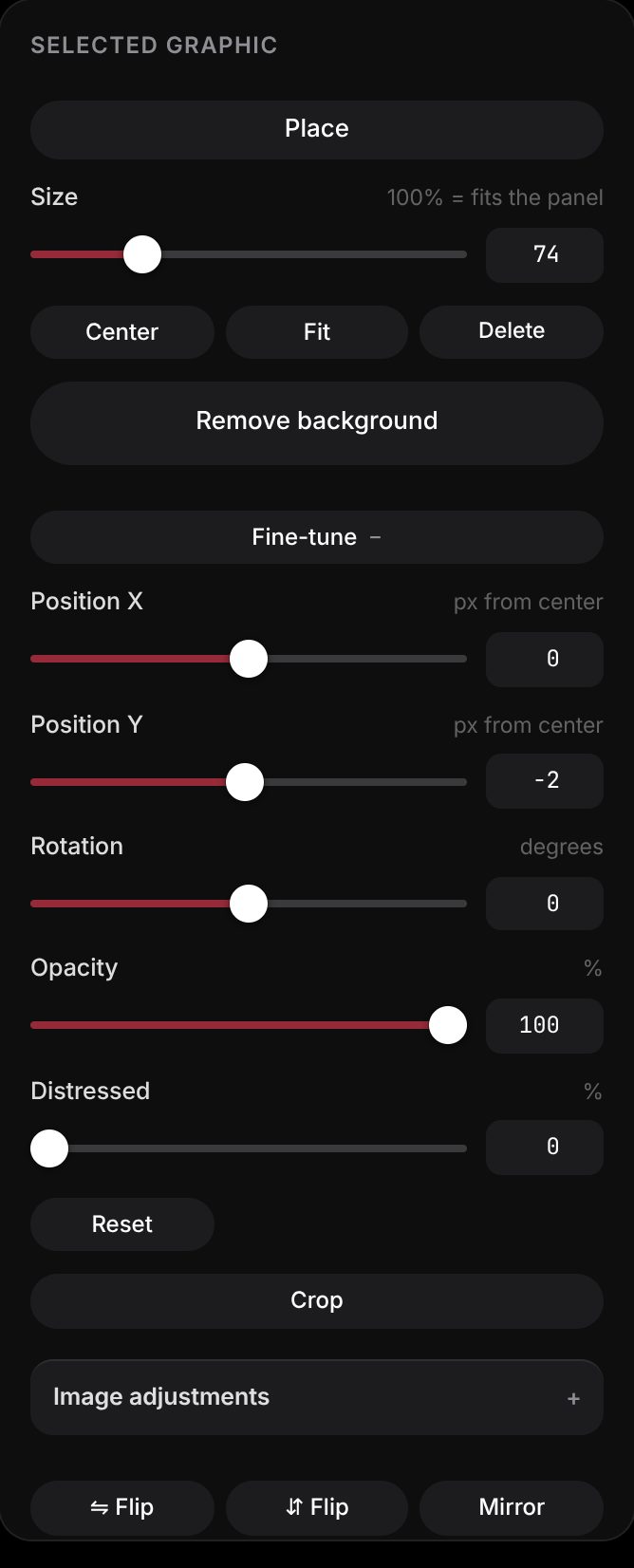
Upload a logo or picture, type some text or add stickers. Move, rotate and resize it until it sits exactly where you want.
3. Check it in 3D
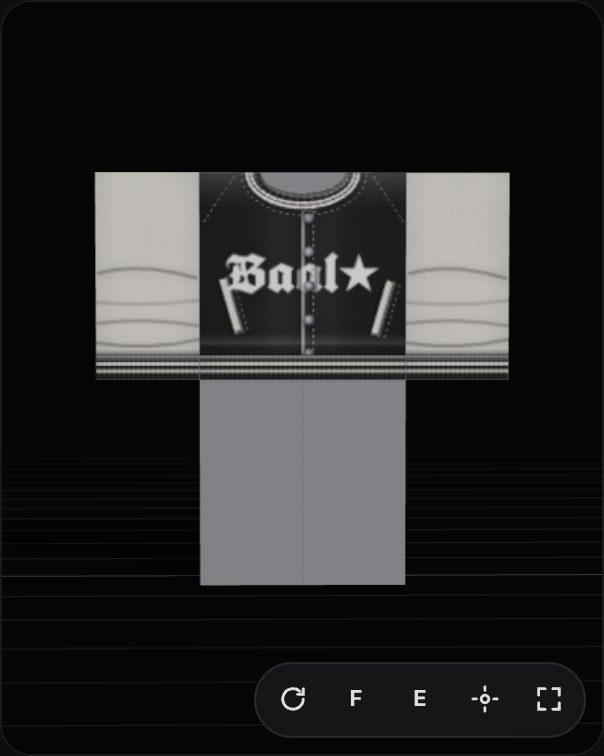
Spin the avatar and look at the front, back and sides. You will spot a logo cut in half or a seam that does not line up before you upload.
4. Download and upload
Download the 585×559 PNG with a transparent background. On the Roblox Creator Hub, choose Classic Shirt or Classic Pants, upload the file and give it a name.


Want every button explained? Read the full editor tutorial and the guide on how to upload a shirt to Roblox.
What's inside the shirt maker
All of it is included, free and with no watermark.
3D preview
See your clothing on a Classic R6 or Thin R6 avatar with any skin color.
Styled text
Curved text, outline, shadow, neon or chrome, 17 fonts and one-click «Phrase + logo».
Background remover
Make an image background transparent by color or with AI, inside the editor.
Upscale
Enlarge a small picture ×2 or ×4 so it doesn't look blurry on the shirt.
Brush and layers
Draw by hand on each panel, then reorder, hide or duplicate its layers.
Fabrics and palettes
Denim, knit, leather or corduroy, a vintage worn look and 8 trendy palettes.
Catalog thumbnail
Download a square 420×420 picture of the avatar wearing your item.
My designs
Save projects in your browser and reopen them whenever you like.
Online shirt maker or template plus a drawing app?
Both work. This table helps you choose.
| Online shirt maker | Template + drawing app | |
|---|---|---|
| Do you need to install anything? | No, it opens in the browser | Yes, or use a site like Photopea |
| Do you see it in 3D before uploading? | Yes, while you design | Only if you test it separately |
| Are the panels already in place? | Yes, every part snaps to its panel | You measure each panel yourself |
| Is the export exactly 585×559? | Always | Only if you never resize the canvas |
Prefer Photopea or Photoshop? Grab the 585×559 shirt template with every panel marked and work your own way. When it's done, test it in the 3D shirt preview before you upload.
Before you upload it to Roblox
Uploading clothing costs Robux, so a second look pays off. These tools help:
- Template checker: checks the size, transparent areas and edges of your PNG.
- Ready to sell clothing?: every requirement Roblox has before you can publish.
- 3D shirt preview: drop in any PNG, even one made elsewhere, and spin it on an avatar.
- Clothing earnings calculator: what you make per sale at each price.
Roblox charges an upload fee for each item; check the current amount on the Creator Hub before you pay.
Your designs stay yours, and stay on your device
There is no sign-up. We never ask for a Roblox account or password. The pictures you add stay on your phone or computer and are never sent to a server.
Baal Studio is not affiliated with Roblox Corporation. It is an independent project made by creators, for creators.
FAQ
Is it free?
Yes. The whole shirt maker is free and adds no watermark. The only cost is the Roblox fee when you upload the item.
Do I need an account?
No. Open the shirt maker and start designing. Your projects are saved in your browser.
Does it work on a phone?
Yes. You get the same steps on a phone, and the 3D preview opens in a small window you can move or close.
Can I make pants too?
Yes. Pick «Pants» in the Garment section to design on the pants template, shorts included.
What size is the PNG?
The PNG is 585×559 pixels with a transparent background, the size Roblox requires for classic shirts and pants.
Is Baal Studio made by Roblox?
No. Baal Studio is independent and is not the official Roblox shirt maker. You can use it for free and upload what you make from your own account.